The short answer: a cloud kitchen is marketed mainly inside the delivery apps. Customers scroll a list and decide in seconds from your brand name, cover image, item photos and prices, so fix those first. Then build a menu designed for delivery, with bundles and add-ons that raise the basket. After that, use packaging and a reorder card to win the second order, ask for reviews, and use Instagram and TikTok to give a brand with no dining room a face.
Key points
- The delivery-app listing is your shopfront: name, cover image, item photos and menu order come first.
- Customers cannot see or smell the food, so the photo of each item carries the sale.
- A short, focused menu usually performs better than a long one.
- Packaging is the only physical contact with the customer, and it drives repeat orders.
- Track menu views, conversion, basket size and repeat rate before and after each change.
Step 1: Choose a name and concept that read in a list
On an app, your brand appears as a small logo and a name beside dozens of others. A customer should understand what you sell without tapping.
- Put the food in the name or the tagline: burgers, biryani, poke, healthy bowls.
- Keep the logo simple enough to read at thumbnail size.
- Focus on one cuisine or idea per brand. If you want to sell something very different, create a second brand.
See ghost kitchen branding in the UAE and our cloud kitchen branding service.
Step 2: Build a menu for delivery
| Principle | What to do |
|---|---|
| Keep it short | Offer the dishes you do best and that travel well. Remove slow sellers. |
| Lead with best sellers | Put your most popular items and bundles at the top. |
| Create bundles | Meal for one, meal for two, family box. They raise the basket and simplify choosing. |
| Add add-ons | Sides, drinks, sauces and desserts offered at the point of ordering. |
| Write clear descriptions | Name the main ingredients and the portion. Avoid vague names. |
| Design for travel | Choose dishes and packaging that arrive hot, crisp and intact. |
Our menu design service covers structure as well as layout.
Step 3: Photograph every item
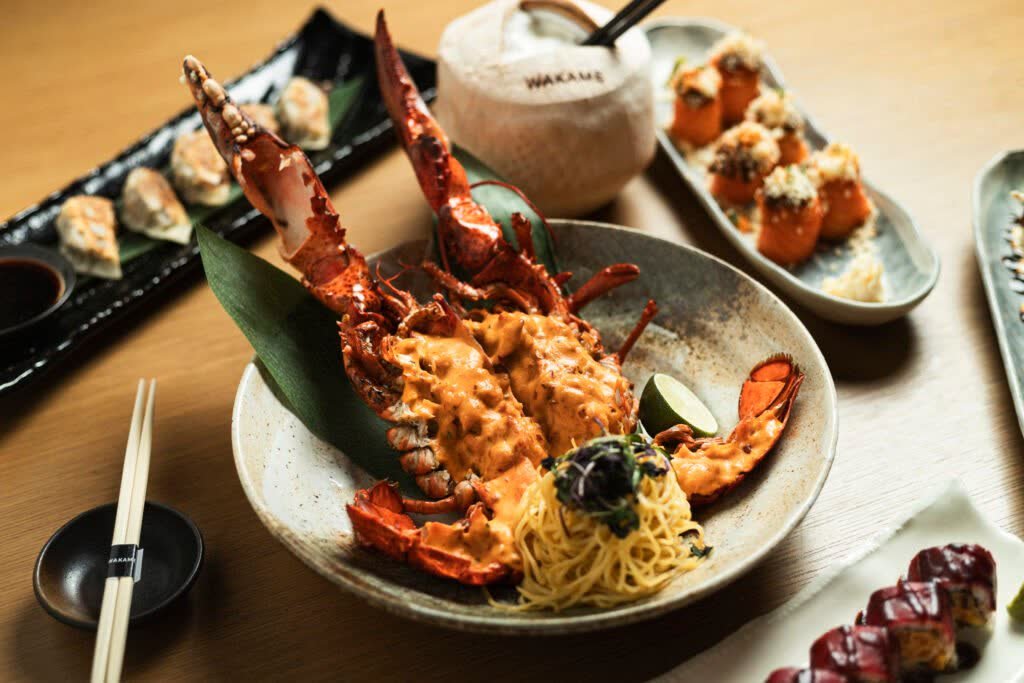
The photo is what the customer is buying. Items without photos are easy to skip, and inconsistent photos make a menu look untrustworthy.
- Shoot every item in the same style: same background, angle and light.
- Show the real portion and packaging-friendly presentation, so what arrives matches the picture.
- Shoot a strong cover image of your best seller for the listing banner.
- Follow each app’s image rules for size, framing and background.
See the photo requirements for Talabat, Deliveroo, Careem and Noon Food, how to shoot menu photos that sell, and our delivery-app menu photography service.
Step 4: Set up and tune the listing
| Part of the listing | What to check |
|---|---|
| Brand name and logo | Clear at small size; says what you sell |
| Cover image | Your most appetising dish, well lit |
| Categories | Few and logical; best sellers first |
| Item names and descriptions | Specific and appetising |
| Opening hours and delivery area | Accurate, and covering your busiest times |
| Offers | Used deliberately, for launch or quiet periods, with an end date |
Many apps also sell promoted placements. Use them once the listing itself converts well, otherwise you pay to send people to a page that does not sell.
Step 5: Make the packaging part of the brand
The bag at the door is the only moment a customer physically meets your brand.
- Use packaging that keeps food at the right temperature and texture.
- Add a branded sticker or sleeve, even on standard boxes.
- Include a small card: a thank-you, a reorder offer, a QR code and your Instagram handle.
- Seal bags so customers know the order has not been opened.
Step 6: Earn reviews and repeat orders
- Get the basics right: accuracy, temperature and delivery time matter most to customers.
- Reply to reviews where the app allows it, especially complaints.
- Use the reorder card to bring customers back within a couple of weeks.
- Add something new each month, so regulars have a reason to look again.
Step 7: Give the brand a face on social media
A cloud kitchen has no dining room to show, so show the food and the people.
| Content | Why it works |
|---|---|
| Cooking close-ups | Proves the food is freshly made |
| Packing and unboxing | Shows what will arrive at the door |
| The team | Makes an invisible kitchen feel real |
| Customer reposts | Proof that real people order and enjoy it |
| New items and bundles | Gives followers a reason to order now |
Link every post to the app or your own ordering page. See our social media management service.
Step 8: Look beyond the apps
- Direct ordering: a simple website or WhatsApp ordering lets you keep customer details and more of each order.
- Office and group orders: lunch boxes and platters for nearby offices.
- Creators: invite local food creators to try and film the menu.
- More brands: a second virtual brand from the same kitchen can reach a different audience.
Step 9: Measure and adjust
| Number | What it tells you | If it is low |
|---|---|---|
| Menu views | How many people open your listing | Improve the name, logo and cover image |
| Conversion | How many viewers order | Improve item photos, prices and menu order |
| Average basket | How much each order is worth | Add bundles and add-ons |
| Repeat rate | How many customers come back | Check food quality, packaging and the reorder card |
| Rating | How customers judge the experience | Fix accuracy, temperature and timing first |
Change one thing at a time and compare the same days of the week, so you can see what made the difference.
Common mistakes
- Launching without photos. Your first weeks shape your early ratings.
- A menu that is too long. It slows the kitchen and confuses customers.
- Constant discounts. They attract customers who leave when the discount ends.
- Photos that do not match the food. Disappointment shows up in reviews.
- No brand outside the app. If the app is your only channel, you have no way to reach customers directly.
When to bring in an agency
It is worth getting help when you are launching a brand, adding a second one, or when a listing has plenty of views but few orders. Food On Focus Media is a Dubai agency that works only with food and beverage brands. We design the brand and packaging, structure the menu and shoot every item in the formats the apps need. See our cloud kitchen marketing service, read how to open a cloud kitchen in Dubai, or get a quote.
Related reading: restaurant website design in the UAE, delivery app marketing in Dubai, how to rank higher on Talabat and Deliveroo, the UAE cloud kitchen market in numbers and UAE food delivery statistics.
Frequently asked questions
How do I market a cloud kitchen in Dubai?
Start with the delivery-app listing: a clear brand name, a strong cover image, consistent photos of every item and a short menu led by best sellers and bundles. Then add branded packaging with a reorder card, earn reviews, and use Instagram and TikTok to give the brand a personality.
How do I get more orders on delivery apps?
Improve what customers see first: the name, logo and cover image. Then add photos to every item, put best sellers and bundles at the top, write clear descriptions and keep your hours and delivery area accurate.
Do cloud kitchens need professional food photography?
It makes a clear difference, because customers cannot see or smell the food and judge each item by its photo. Consistent, accurate photos also reduce complaints about food not matching the picture.
How many items should a cloud kitchen menu have?
As few as you can while still giving a real choice. A short menu of dishes that travel well is easier to cook consistently and easier for customers to choose from.
Should a cloud kitchen use social media?
Yes. The apps bring orders from people already searching, while Instagram and TikTok reach new customers and show the cooking, the team and the unboxing.
Should I run discounts on delivery apps?
Use them deliberately, for a launch or a quiet period, and with an end date. Bundles and add-ons raise the basket without cutting your price.
Can one kitchen run several brands?
Yes. Many cloud kitchens run more than one virtual brand from the same kitchen. Each should have its own name, identity, menu and photo style so they look distinct on the apps.
Disclaimer: This article shares general guidance based on Food On Focus Media's experience as a Dubai F&B creative agency. It is for information only and is not a substitute for advice tailored to your specific brand, menu or market.